rn-camera-barcode-scan
High-performance real-time barcode scanner supporting 15+ formats. Uses CameraX + ML Kit on Android and AVFoundation on iOS.
React NativeExpoBarcodeQR CodeCamera
rn-camera-barcode-scan
A high-performance, real-time barcode scanner component for React Native (Expo). Supports 15+ barcode formats on both Android and iOS with native performance.
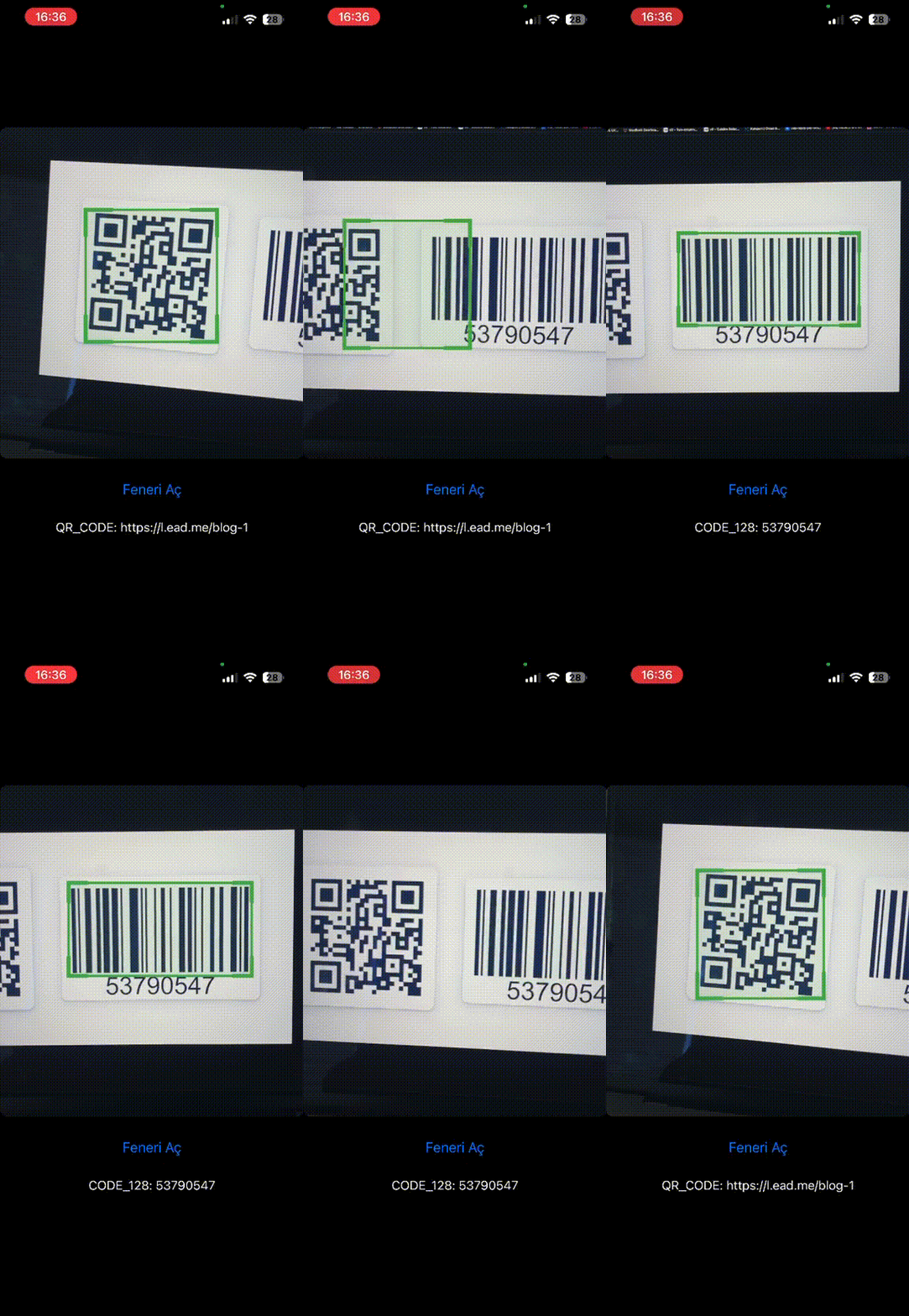
- Android — CameraX + Google ML Kit (on-device, no internet required)
- iOS — AVFoundation native barcode engine
Features
- 15+ barcode formats (QR, EAN, Code 128, Data Matrix, and more)
- Real-time green bounding box overlay on decoded barcodes
- Torch / flash control
- Pause & resume camera without unmounting (
isActive) - Close-range autofocus optimization
- Scans only within the visible view area — not the full sensor
- Works with both Old Architecture (Bridge) and New Architecture (Fabric + TurboModules)
Supported Barcode Formats
| Format | Android | iOS |
|---|---|---|
| QR Code | ✅ | ✅ |
| EAN-8 | ✅ | ✅ |
| EAN-13 | ✅ | ✅ |
| Code 128 | ✅ | ✅ |
| Code 39 | ✅ | ✅ |
| Data Matrix | ✅ | ✅ |
| PDF417 | ✅ | ✅ |
| Aztec | ✅ | ✅ |
| UPC-A | ✅ | — |
| UPC-E | ✅ | ✅ |
Installation
npx expo install rn-camera-barcode-scan
Quick Start
import { BarcodeScanner, requestCameraPermission } from "rn-camera-barcode-scan";

export default function App() {
  const [hasPermission, setHasPermission] = useState(false);

  useEffect(() => {
    requestCameraPermission().then((status) => {
      setHasPermission(status === "granted");
    });
  }, []);

  if (!hasPermission) return <Text>Camera permission required</Text>;

  return (
    <BarcodeScanner
      style={{ width: 320, height: 400, borderRadius: 12 }}
      onBarcodeScan={(result) => {
        console.log(result.type, result.data);
      }}
    />
  );
}
Requirements
- iOS 15.0+
- Android minSdk 24
- Expo SDK 52+
- React Native 0.76+
License
MIT